Chapter One
Where it begins
A lighthouse keeper who has never seen the sea.
 Notes & researchIdeas, research and dictation, kept with the book.
 Plot boardYour story on five classic structures.
 The editorChapters, scenes and a page that stays quiet.
 Story bibleCharacters and places, found in your prose.
 Goals & streakA star for every evening you write.
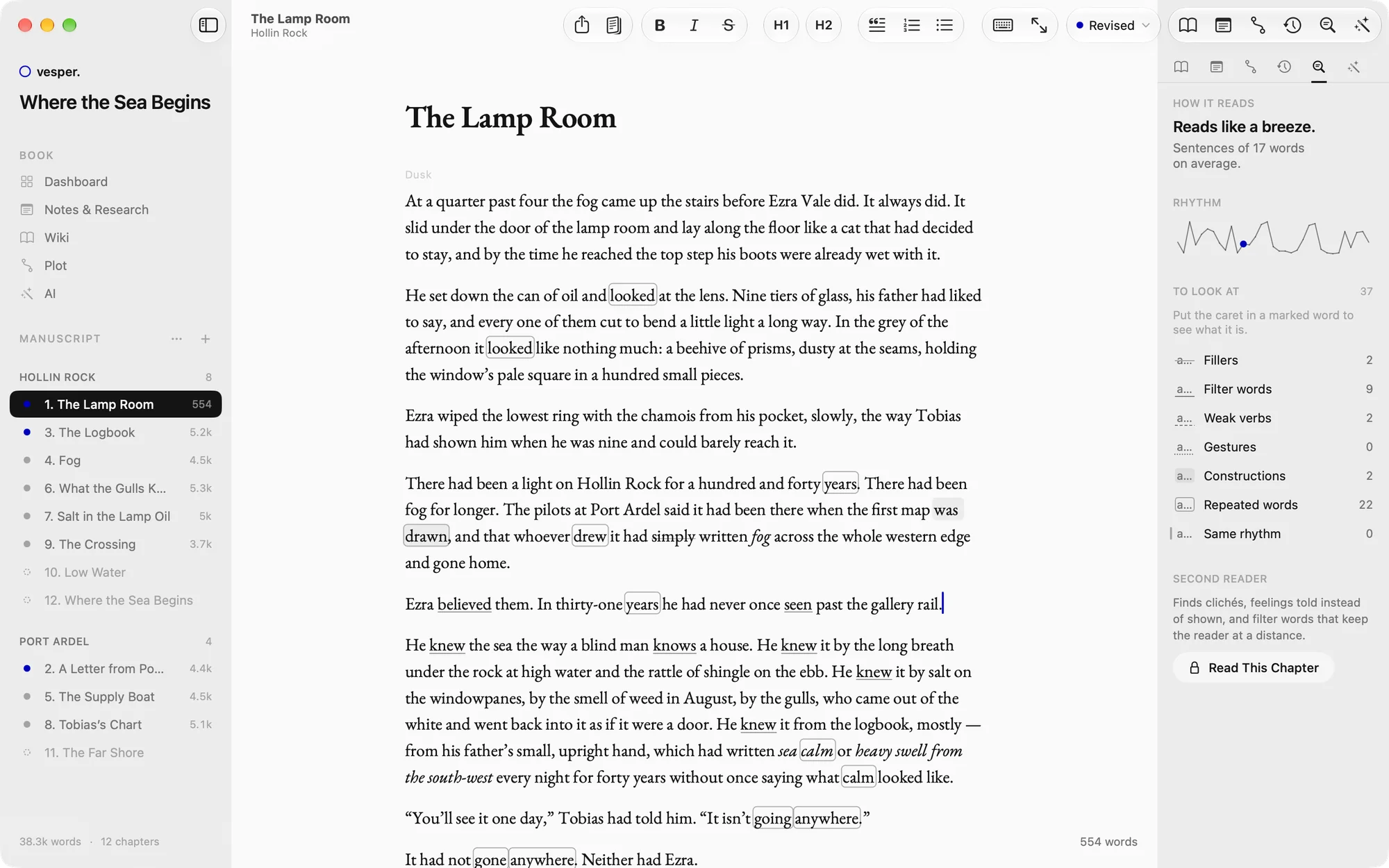
 Versions & styleCompare drafts. See how your prose reads.
 AI, when you askPro with AIRewrite, a second reader, questions about your book.
 Reading copiesSend it to your first readers, free.
 Print & e-bookProA typeset PDF and EPUB, ready to publish.
 Mac, iPad & iPhoneNative on every Apple device, in sync.
01 Notes & dictation
Type it on the train, or just say it and your iPhone writes it down. With Vesper Pro, iCloud has it waiting on your Mac when you get home.
Notes & research02 Plot
Lay the story out on the plot board along a classic structure, like Save the Cat or the Hero’s Journey, and see where it turns.
The plot board03 Chapters
Turn the plan into chapters and scenes, pinned to the beats they serve. The whole book at a glance: what’s planned, what’s written.
Chapters & the editor04 Writing
Set a goal for tonight. Reach it and tonight’s star lights up, and one rest day a week won’t break your streak. Vesper tells you when you’ll finish.
Goals & the evening streak05 Revision
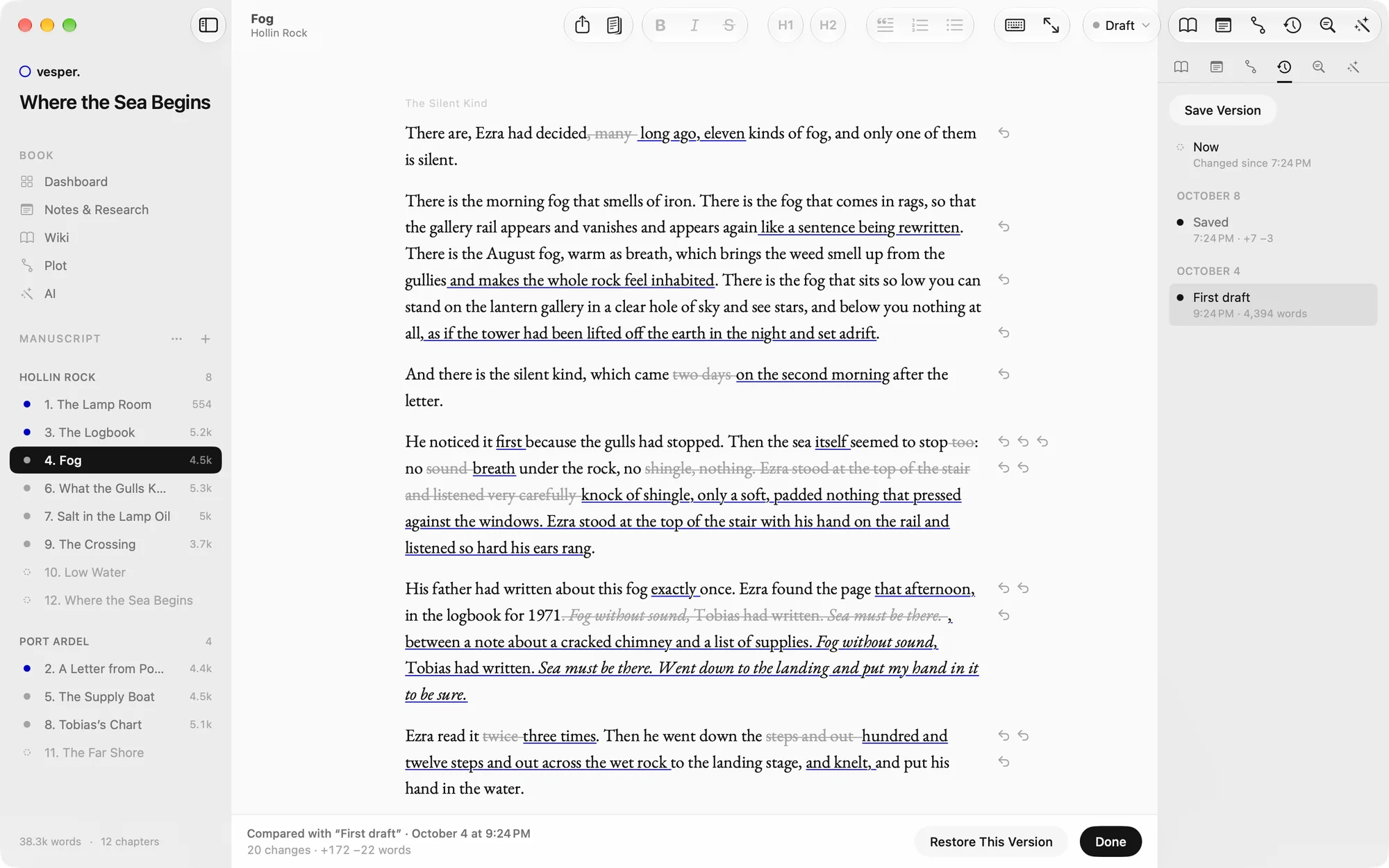
Save a version, cut boldly, compare. Every deletion and every new word is marked, and each can be undone. The Style tab shows where sentences drag.
Versions & style06 AI, if you want it
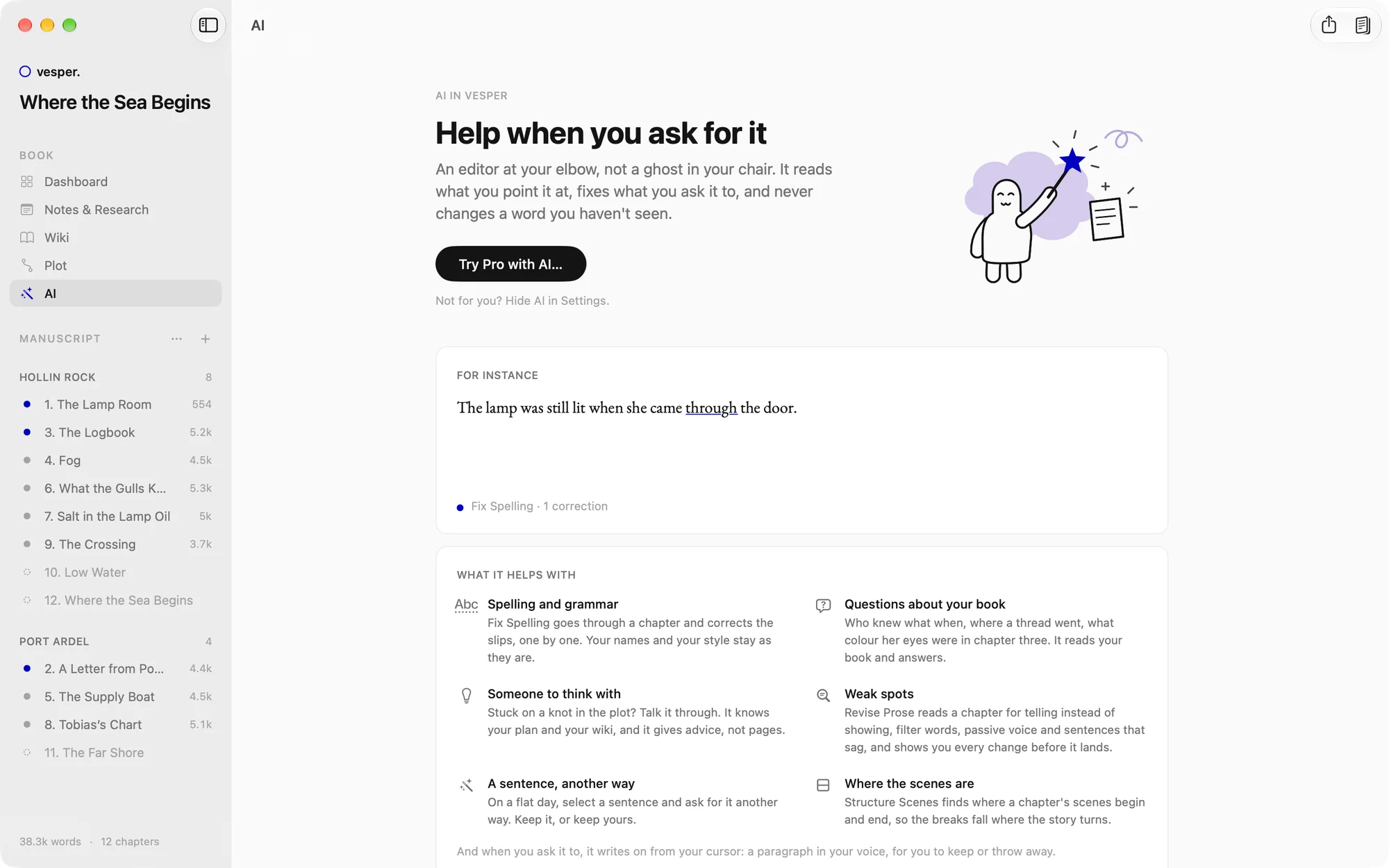
Tighten a paragraph, hear a second reader, ask about your own book. Every AI change is a version you keep or undo. Or switch AI off for good.
AI in Vesper07 First readers
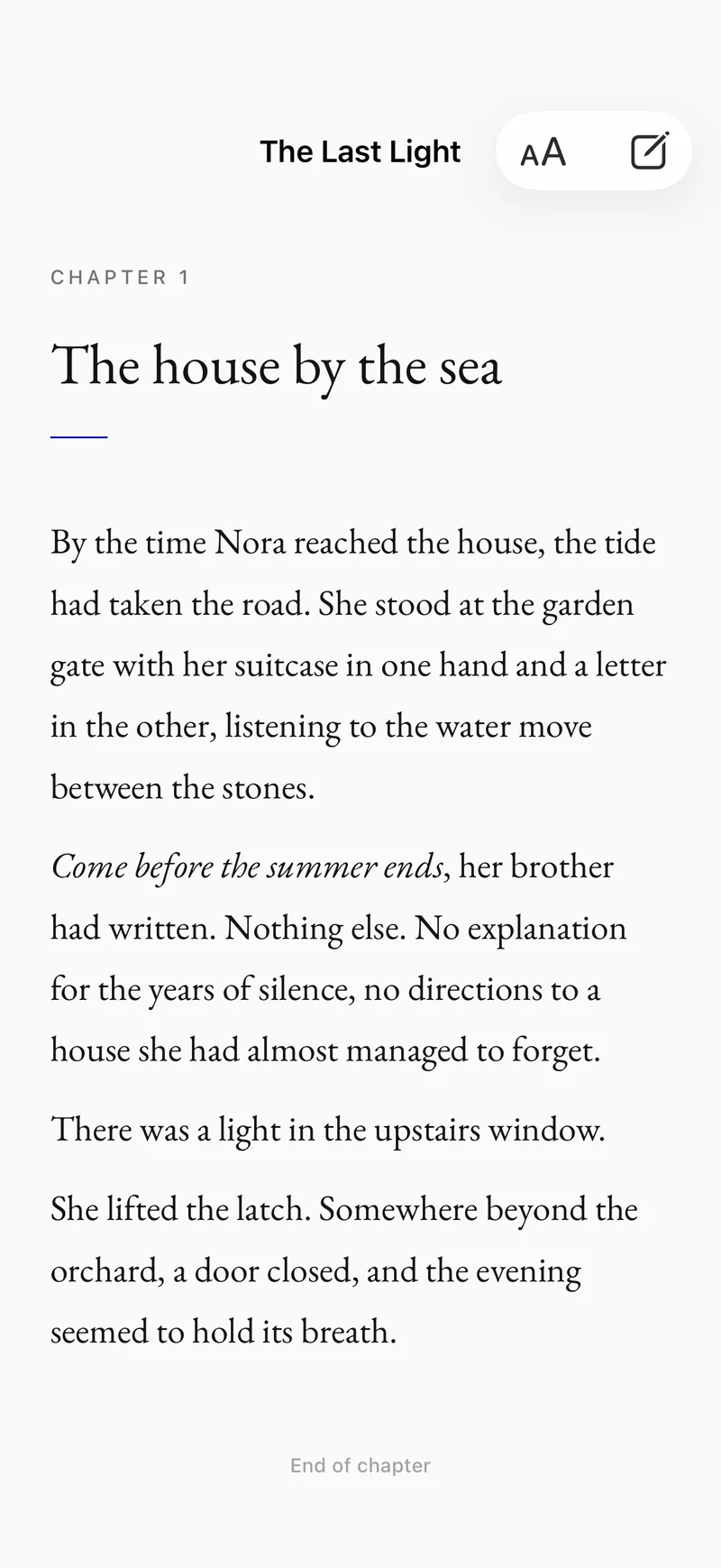
Send a reading copy with a link, free. Friends read it in Vesper on their iPhone, leave a note or a “Loved this”, and you see how far they’ve got.
Reading copies08 The book Pro
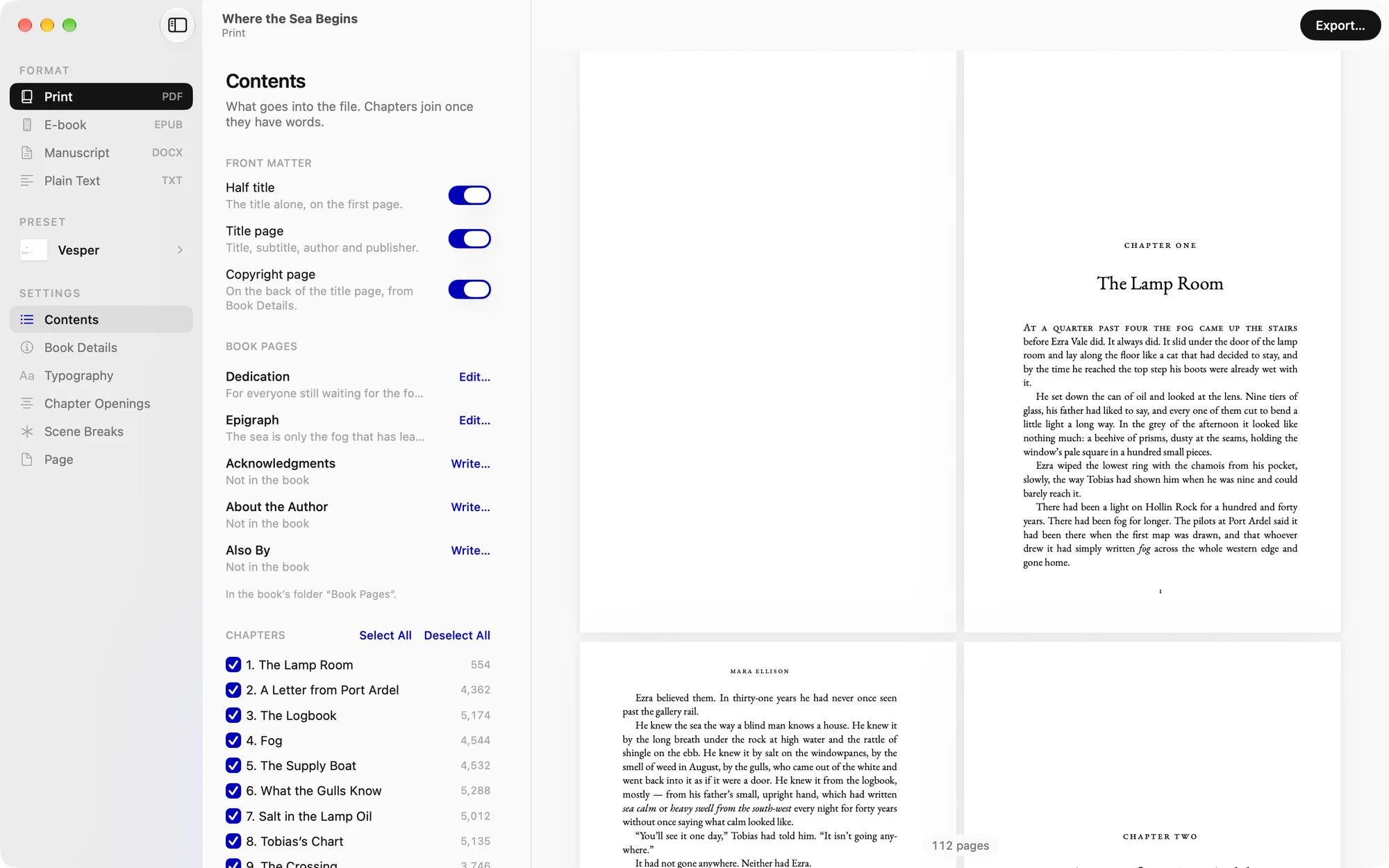
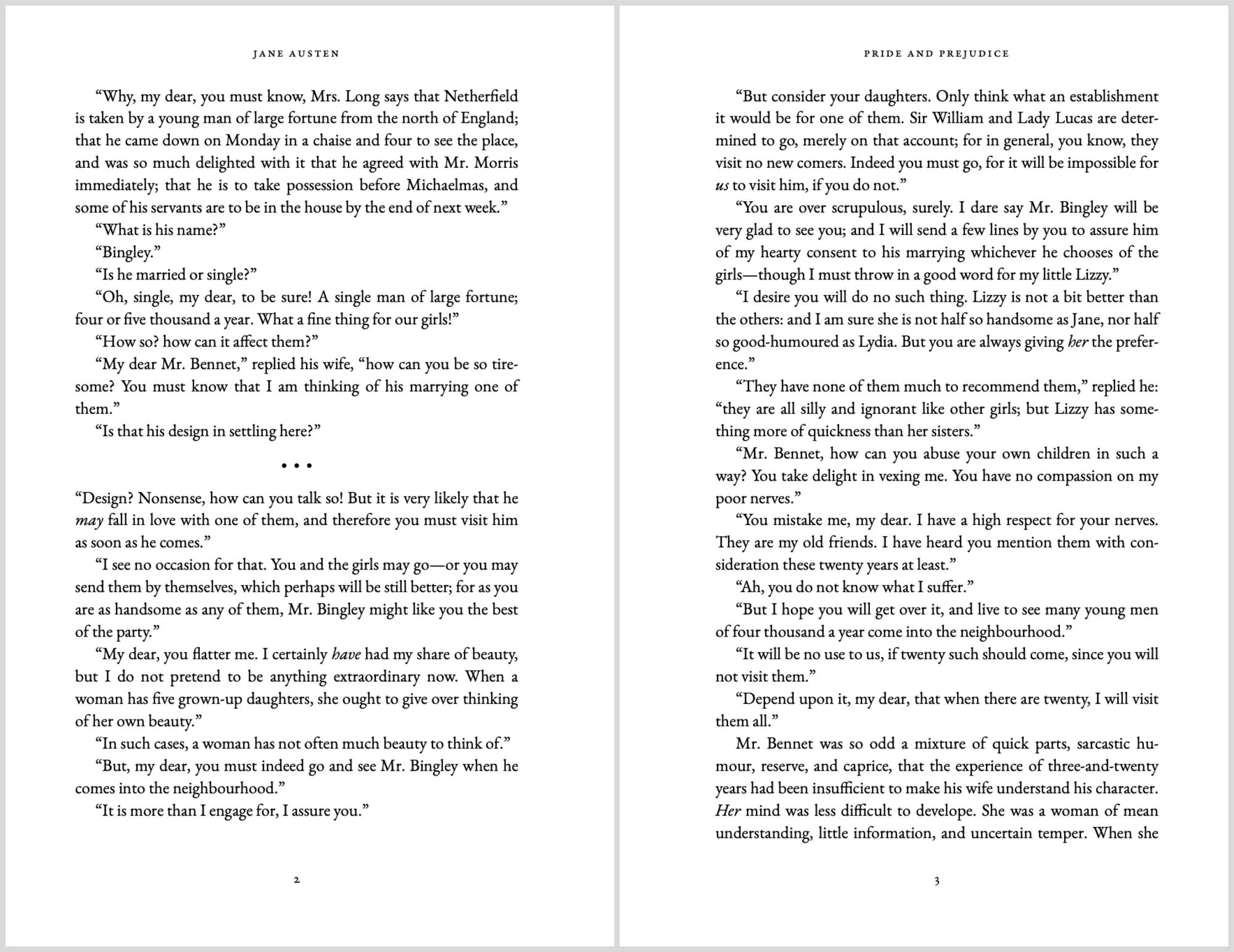
Vesper Pro typesets your manuscript as a real book, in EB Garamond: a print-ready PDF for your printer and an EPUB for the e-book stores.
Print & e-bookThe circle is closed
A lighthouse keeper who has never seen the sea.
A novel by you.
Get Vesper freeSee every feature
Free on the Mac. iPhone, iPad and print with Vesper Pro.
Vesper · The writing app for novelists
Plan your novel, write it evening by evening, share it with your first readers and hold the finished book. Made for Mac, iPad and iPhone. Free on the Mac.
Type your idea, then scroll. You’ll follow it through Vesper, from a note on the train to a bound book. Nothing you type leaves this page.
Everything in Vesper
Plot, story bible, notes, the manuscript, your goals, your first readers and the printed book live in one place, and know about each other. Pick one to see it up close.
Notes & researchIdeas, research and dictation, kept with the book.FreePlot boardYour story on five classic structures.FreeThe editorChapters, scenes and a page that stays quiet.FreeStory bibleCharacters and places, found in your prose.FreeGoals & streakA star for every evening you write.FreeVersions & styleCompare drafts. See how your prose reads.FreeAI, when you askRewrite, a second reader, questions about your book.Pro with AIReading copiesSend it to your first readers, free.FreePrint & e-bookA typeset PDF and EPUB, ready to publish.ProMac, iPad & iPhoneNative on every Apple device, in sync.Apple only01 Notes & research Free
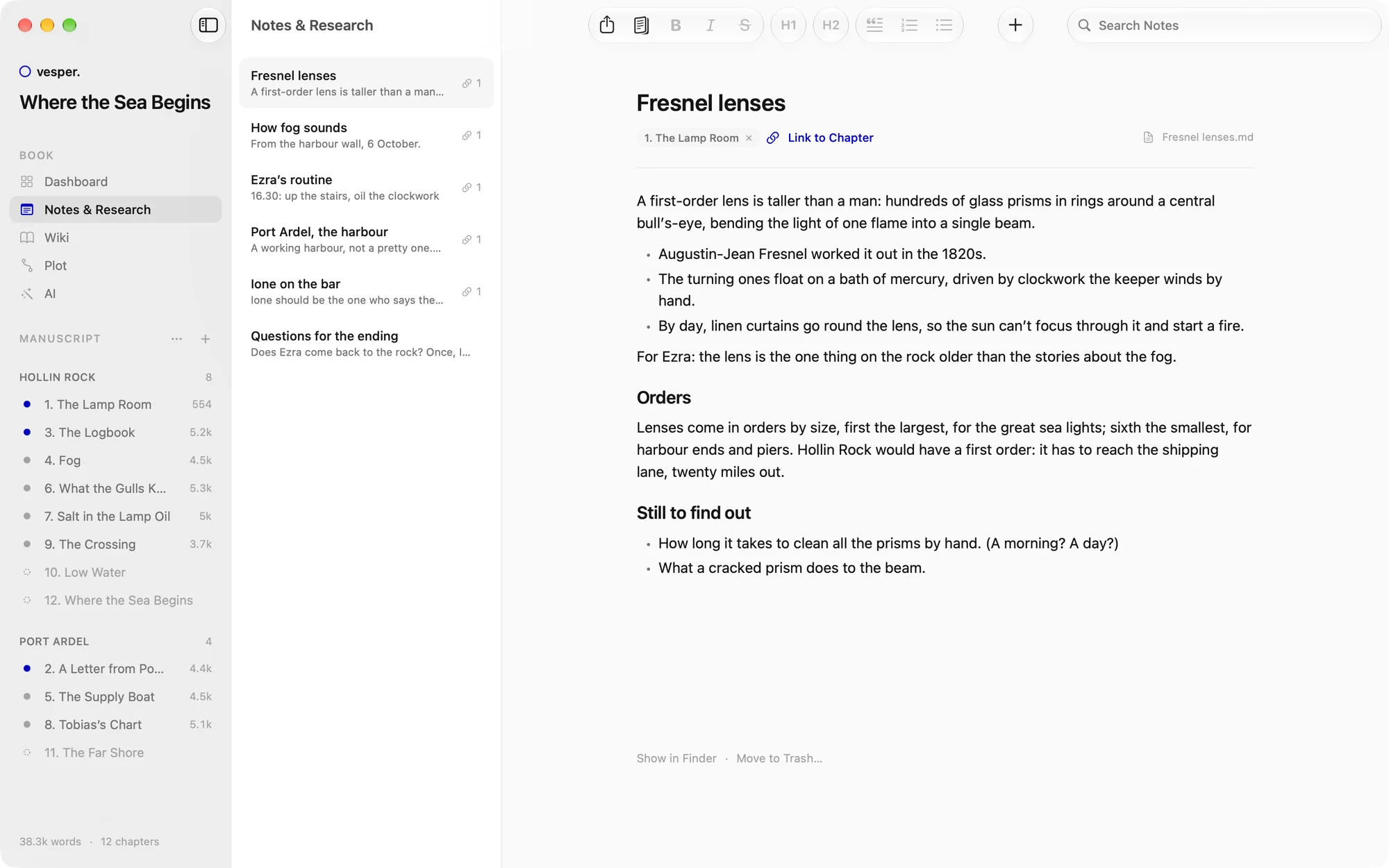
Notes and research live right beside your chapters. Link a note to the chapters it’s for, and it’s there in the side panel while you write that scene.
02 Plot board Free
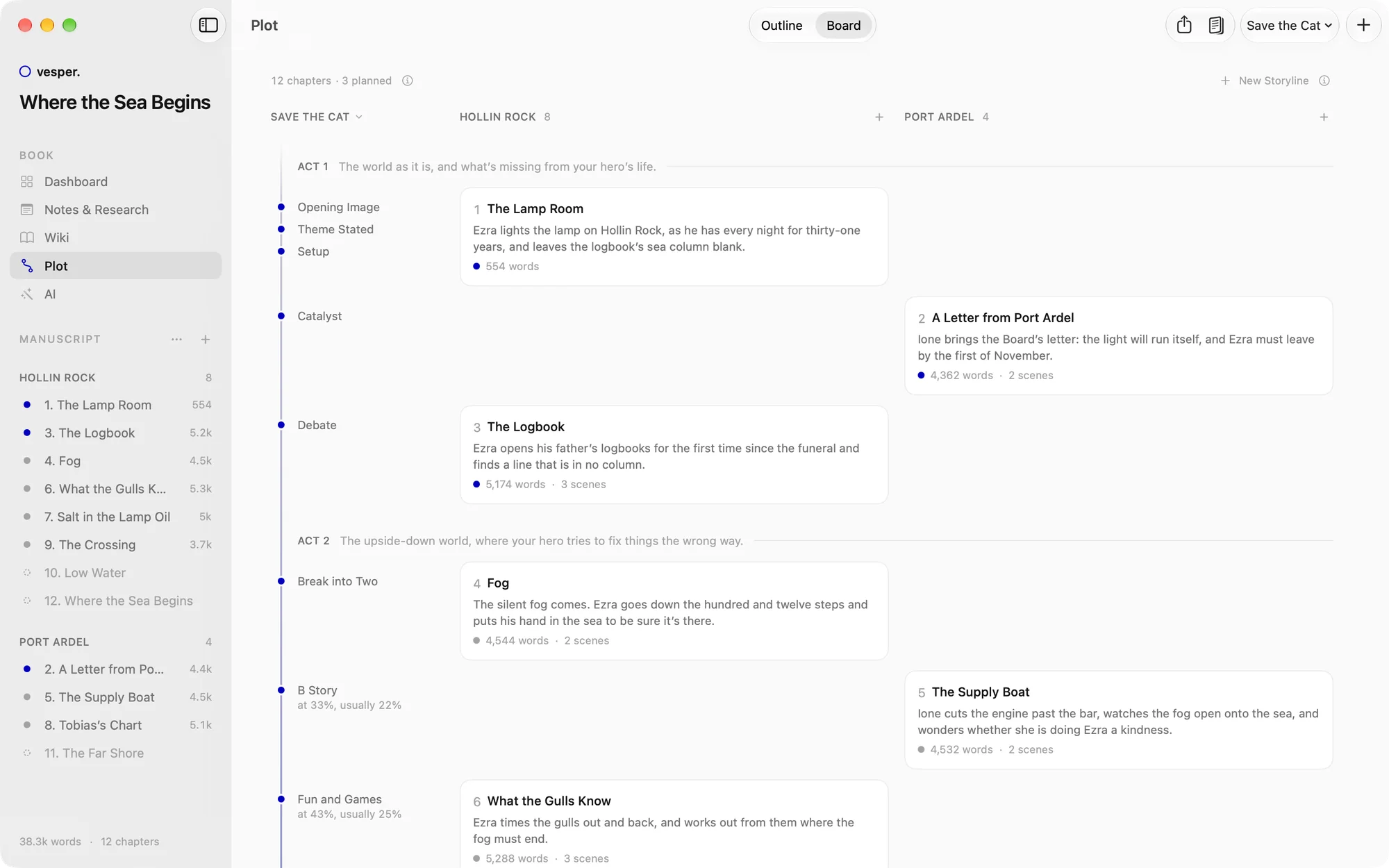
Lay your novel out on a classic structure: Three Acts, Save the Cat, the Hero’s Journey, the Story Circle or Five Acts. Vesper shows where each beat should fall, and where you are.
03 Chapters & the editor Free
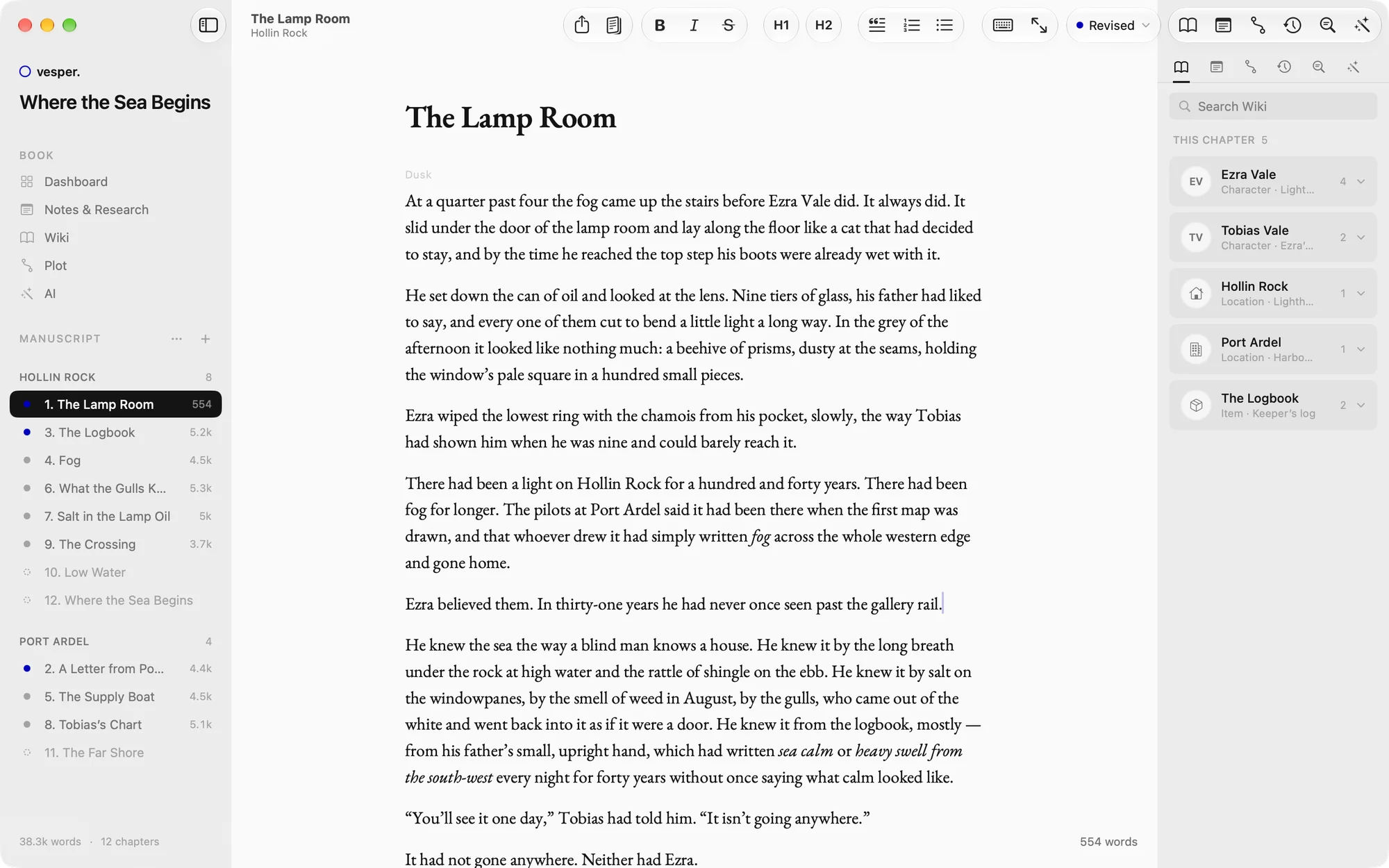
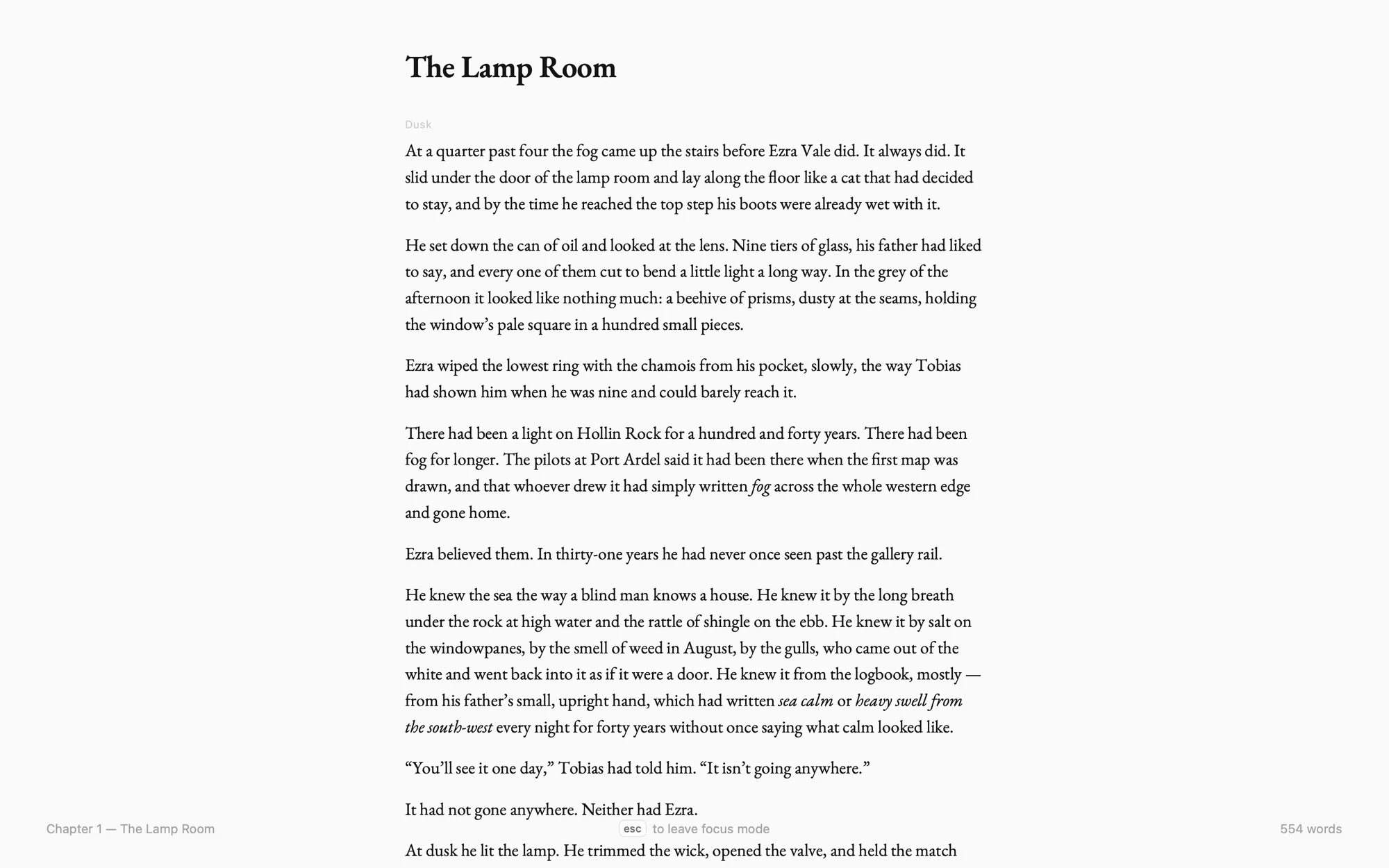
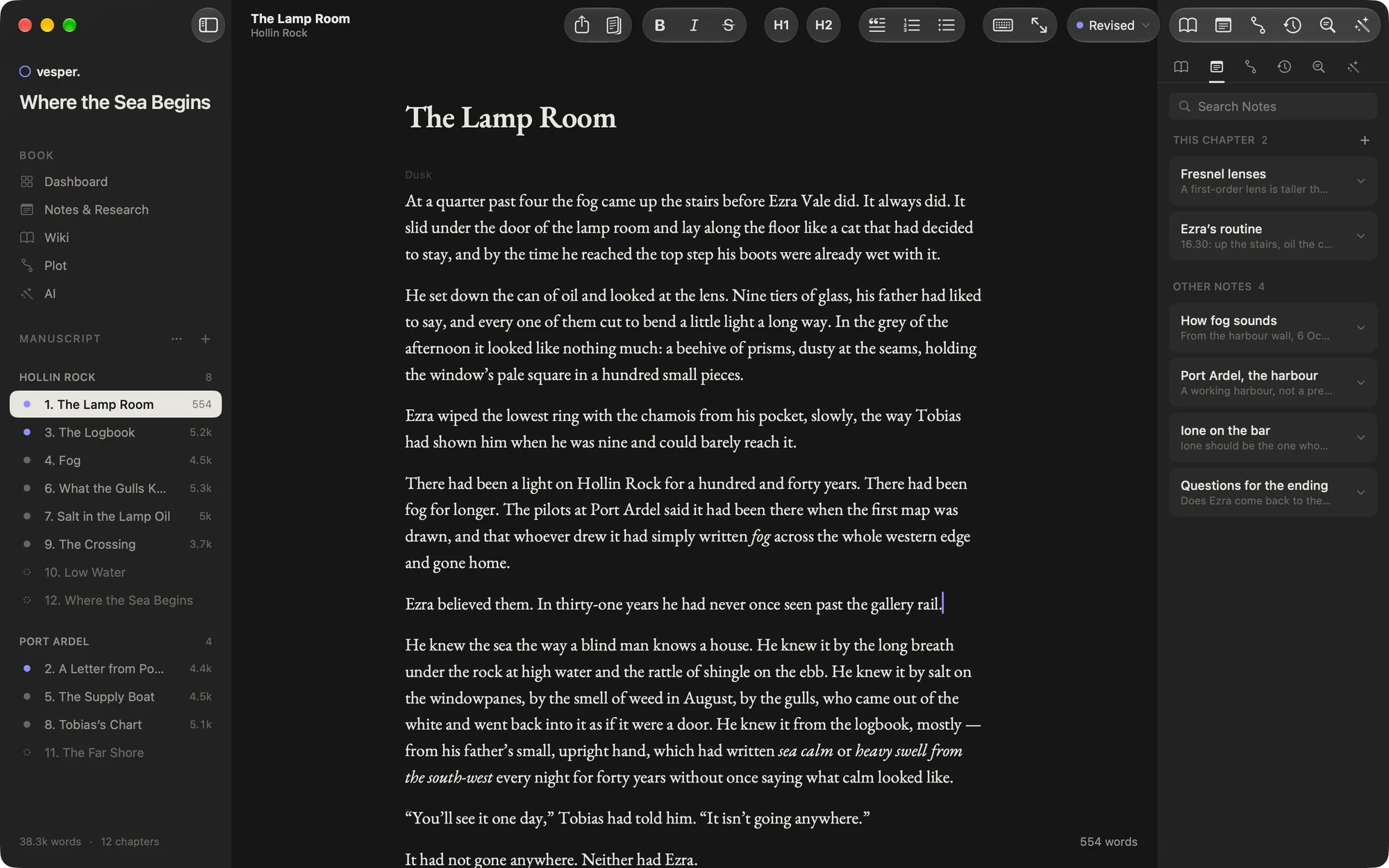
Chapters and scenes in the sidebar, your manuscript set in EB Garamond, and nothing on screen you didn’t ask for. Focus mode dims the rest; typewriter mode keeps your line in the middle.
Story bible Free
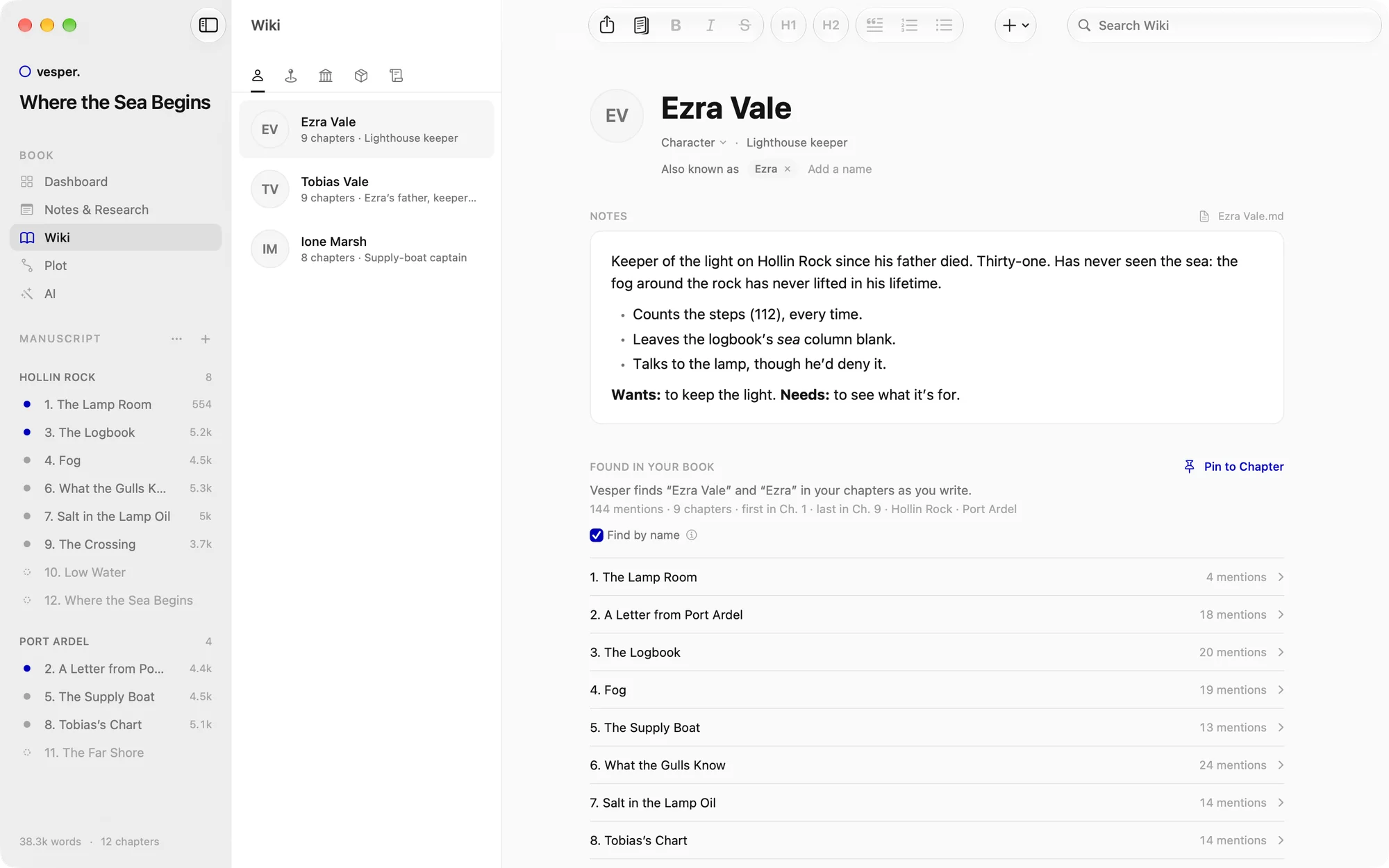
Characters, locations, organizations, items and lore, each an entry in your story bible. Vesper finds their names and nicknames in your prose, so you see who appears where.
04 Goals & the evening streak Free
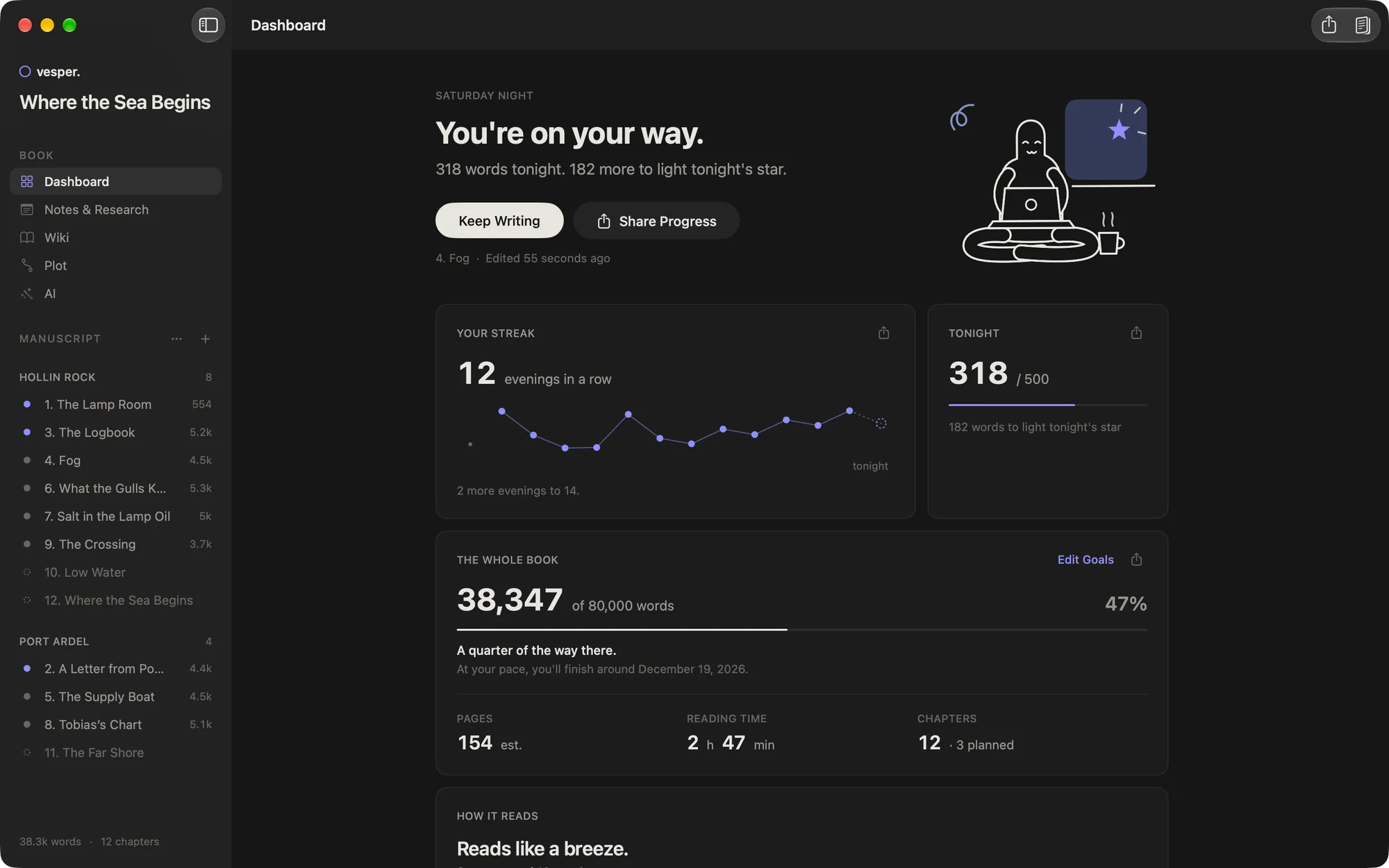
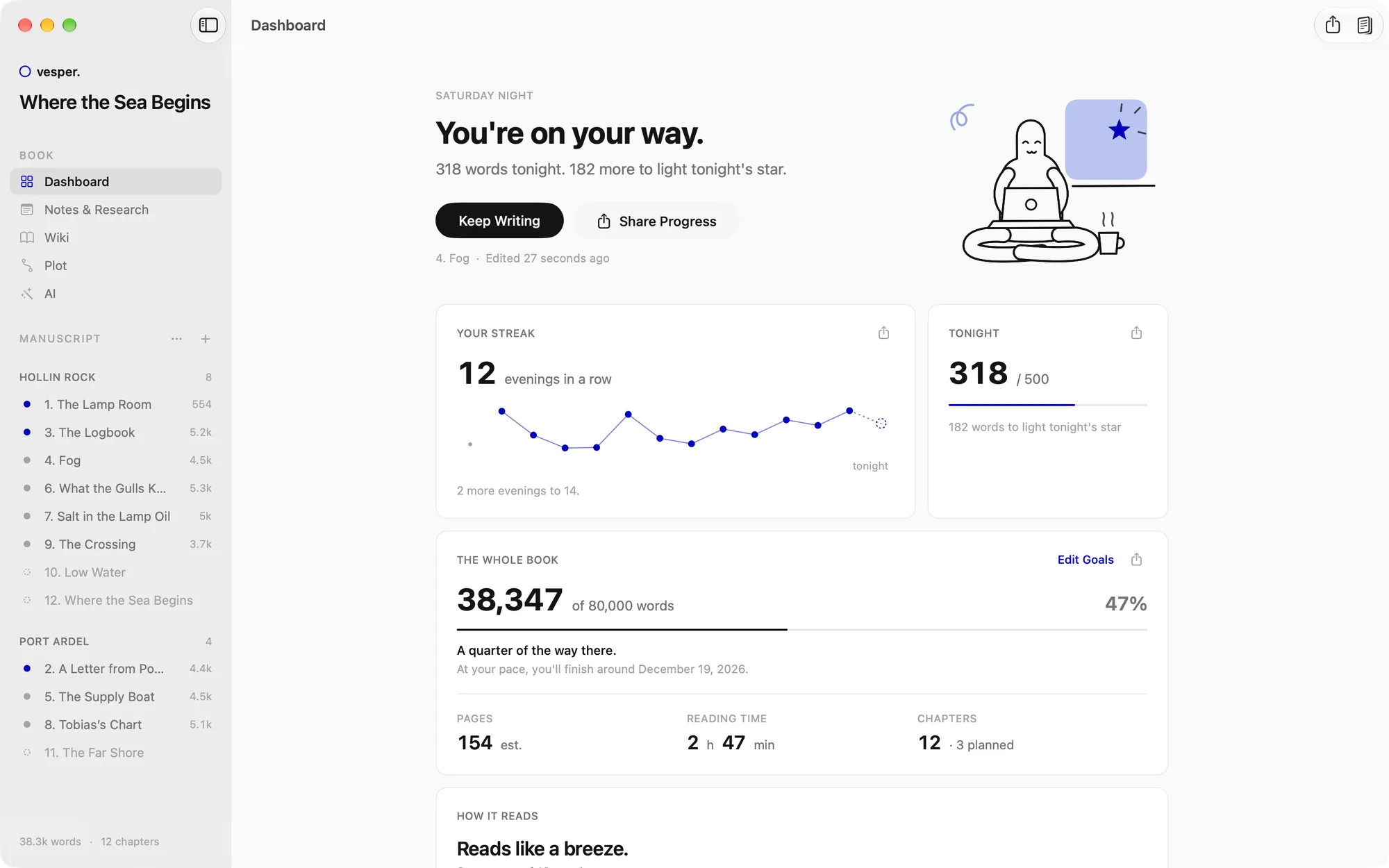
Pick a goal for tonight: Gentle, 250 words, Steady, 500, Devoted, 1,000, or your own. Reach it and tonight’s star joins your constellation. One rest day a week never breaks the streak.
05 Versions & style Free
Save a version whenever you like (⌘S), then compare a chapter with any earlier one: deletions and new words are marked, and each change can be undone on its own. Or bring the whole chapter back.
06 AI, if you want it Pro with AI
Vesper’s AI works on your book in your voice, with your characters and plot in mind. It suggests; you decide. Every change it makes is a version you keep or undo.
07 Reading copies Free
Choose the chapters, send a link. Your readers open it in the free Vesper app on their iPhone, read it like a book, and tell you what they think: a note on a paragraph, “Loved this”, “Lost me” or “Dragging”.
08 Print & e-book Pro
Vesper Pro typesets your novel the way a publisher would: EB Garamond, small-caps openings, running heads and folios, on the trim size you choose. Export a print-ready PDF for KDP or any printer, and an EPUB for every e-book store.
Mac, iPad and iPhone
Vesper isn’t a website dressed up as an app. It’s built natively for your Mac, iPad and iPhone, with Apple’s own text system, menus, iCloud and Liquid Glass. That’s why it feels calm, quick and at home on each of them.
Your writing desk. The whole studio, from the first note to the finished manuscript, free for as long as you write.
macOS 26 Tahoe or laterThe plot on the sofa. Everything the Mac has, on a bigger touch screen. Reading is free; writing comes with Vesper Pro.
iPadOS 26 or laterThe idea on the train. Notes, dictation and writing with Vesper Pro; reading copies are free for everyone.
iOS 26 or laterOne subscription covers all your devices, through your Apple ID. No Vesper account, ever. And no Windows, Android or web version: that’s on purpose.
Pricing
The Mac app is free: every chapter, the plot, the wiki, your goals and your first readers. Not a trial, no word limit, no account. Upgrade when you want your book on every device, in print, or with AI.
Everything you need to write your novel, on your Mac.
$0forever
No trial. No account. No word limit.
Get Vesper free
Your book on every device, and in print.
$39.99a year
$3.33 a month · 14 days free
Try 14 days free
A second pair of eyes, whenever you ask.
$99.99a year
$8.33 a month
Get Pro with AIWriting a lot? Max at $239.99 a year and Ultra at $799.99 a year bring more credits each week.
Questions
Yes. On the Mac you can plan, write and finish your whole novel for free, with no word limit and no time limit. Vesper Pro adds the iPhone and iPad apps, iCloud sync and print and e-book export. The AI plans add Vesper’s AI.
Only Apple’s: a Mac with macOS 26 Tahoe or later, an iPad with iPadOS 26 or later and an iPhone with iOS 26 or later. There’s no Windows, Android or web version.
No. Vesper has no accounts. Your Apple ID handles purchases, and iCloud handles sync, privately, in your own iCloud.
On your Mac, as a folder of plain Markdown files: one for each chapter, wiki entry and note. Open them in any text editor, back them up however you like, take them anywhere. Nothing is locked in.
Nothing you wrote is touched. Sync pauses, and print and EPUB wait until you come back. Your books keep working on your Mac, Word export included.
Only what you send it, only when you ask. Requests go through Vesper’s own server, which never stores your text, to Anthropic or OpenAI, who don’t train on it. Don’t want AI at all? One setting hides it everywhere.
Yes. Vesper opens Manuscript backups, password-protected ones too. Word, Scrivener and Ulysses files can’t be imported yet.
Anyone you send the link to, in the free Vesper app on their iPhone. A copy holds only the chapters you chose, never your notes, plot or wiki, and you can update or stop it any time.

The world can wait a little
Vesper is free on the Mac. Start tonight.
Free on the Mac · Mac, iPad and iPhone · No account needed